In May 2025, VenariX launched a CVE enrichment layer that links exploited vulnerabilities to real incidents.
When a security flaw is discovered in software or hardware, it’s often assigned a CVE ID (short for Common Vulnerabilities and Exposures). This identifier provides a consistent way to reference and track vulnerabilities across different tools, vendors, and communities. As of 2025, the CVE program is managed by the Cybersecurity and Infrastructure Security Agency (CISA), which assumed responsibility from MITRE to ensure its continued public operation and accessibility. Around the same time, ENISA launched the EU Vulnerability Database (EUVD) to support regional coordination and strengthen European visibility into vulnerability disclosures.
Many CVEs are published yearly, but only a small fraction are ever exploited in real-world attacks. Some vulnerability scanners and threat intelligence platforms flag known exploited vulnerabilities, but typically rely on public sources like the CISA KEV list or vendor bulletins, which lack context around how the vulnerability is being used in actual attacks.
Our CVE enrichment layer links CVEs to real incidents, including details such as affected organizations, threat actors, tangible impacts, and timelines. This shows how a vulnerability is being used, not just exploited.
To limit noise and focus on observable threat activity, we include only vulnerabilities with confirmed or suspected exploitation.
We include a CVE in the platform only if:
An organization has reported an incident caused by an unpatched vulnerability with a CVE ID, or
A threat actor is actively exploiting a vulnerability, whether it’s a zero-day or a known issue.
This enrichment is meant to complement, not replace, existing vulnerability management practices. Vulnerabilities should still be patched regularly, but not all carry the same level of urgency.
Linking CVEs to Real Incidents
Each CVE we track is linked to incident records and, where applicable, to threat actors. Once a vulnerability is confirmed as exploited, it becomes part of the incident view.
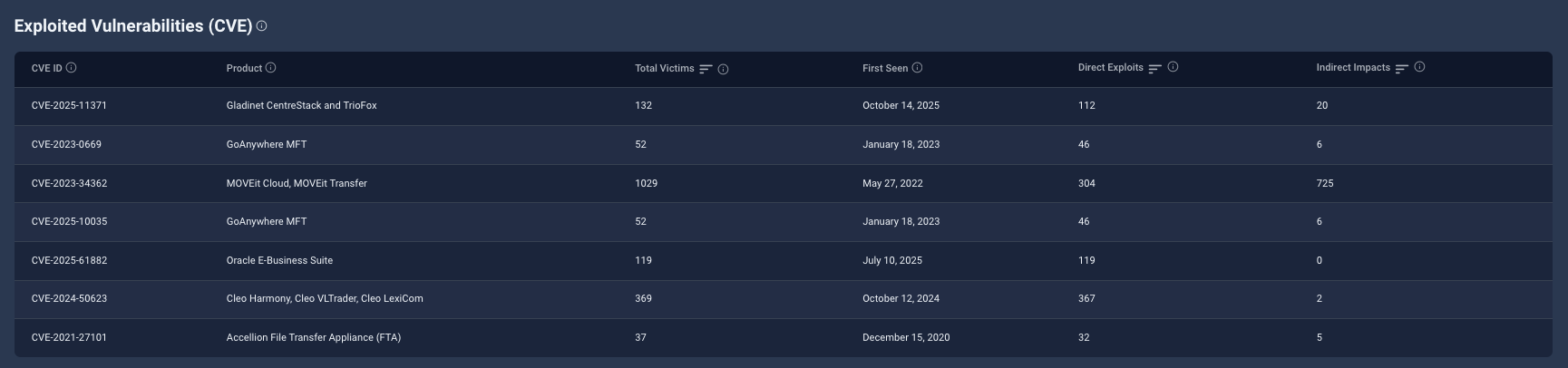
If a threat actor is known to use it, that connection is also shown.
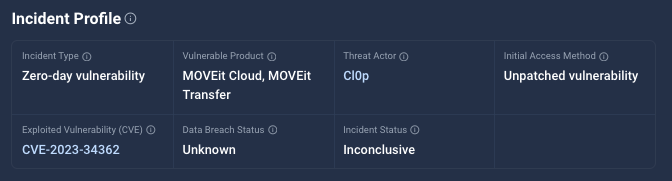
New CVE Filters
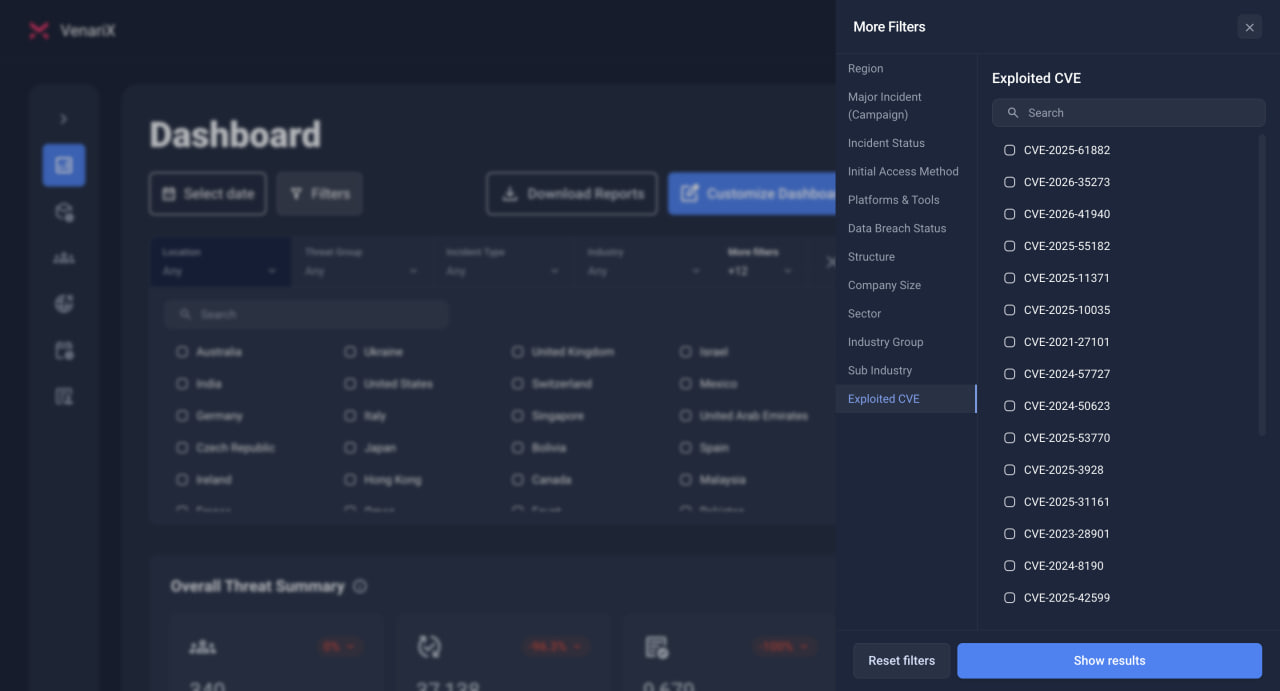
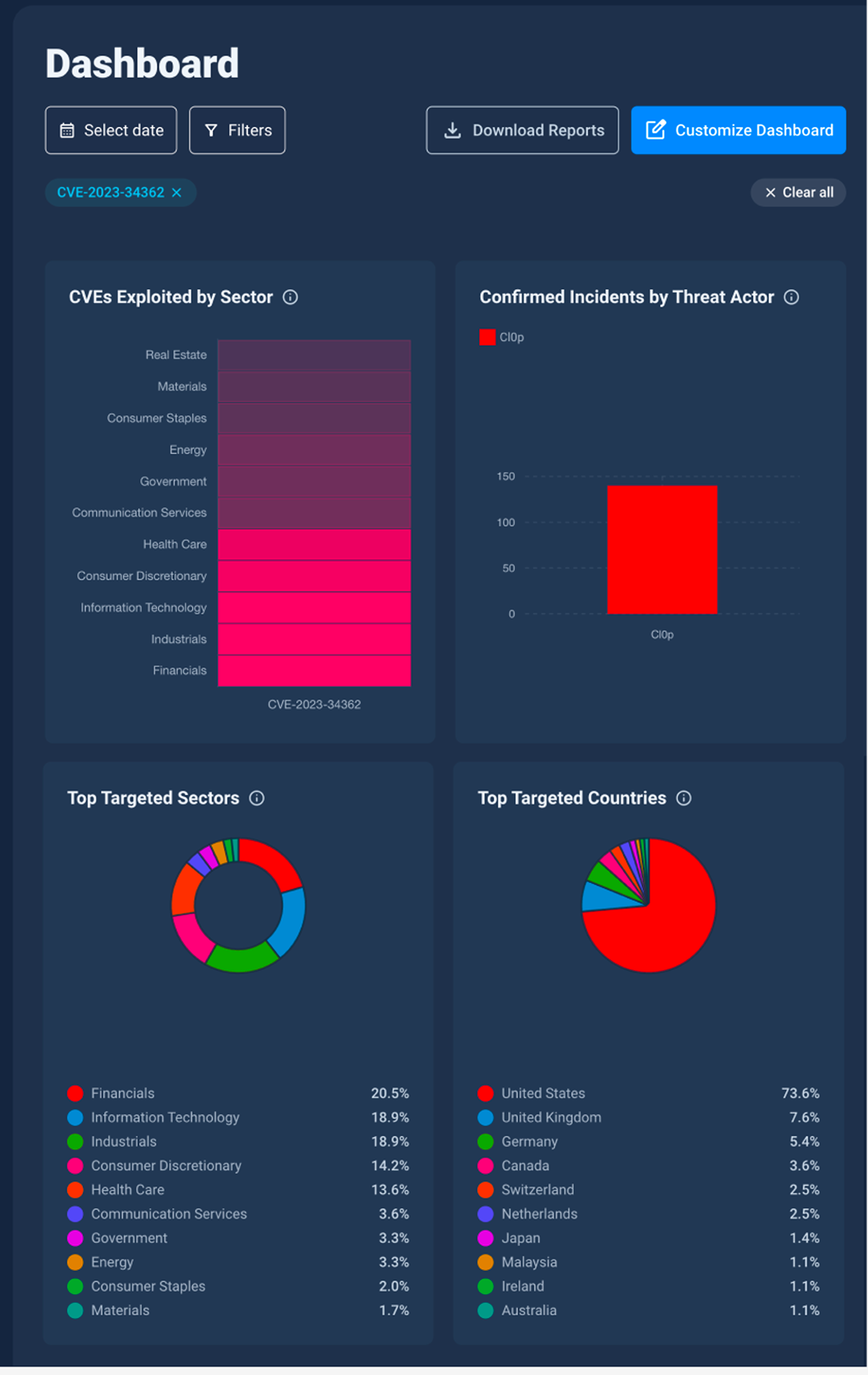
We also added a CVE ID filter to both the Incidents page and the dashboard. When a user selects a CVE from the filter panel, the results show only incidents where that vulnerability was the method of compromise. These are typically cases of zero-day exploitation or other forms of unauthorized access.
👉 Explore the CVE feature now, included in Pro and Business plans.
What the CVE Filter Does and Doesn’t Show
The CVE ID filter applies only to incidents where the selected vulnerability was used to gain access to the affected organization. These are typically zero-day or known exploited vulnerabilities tied to unauthorized access.
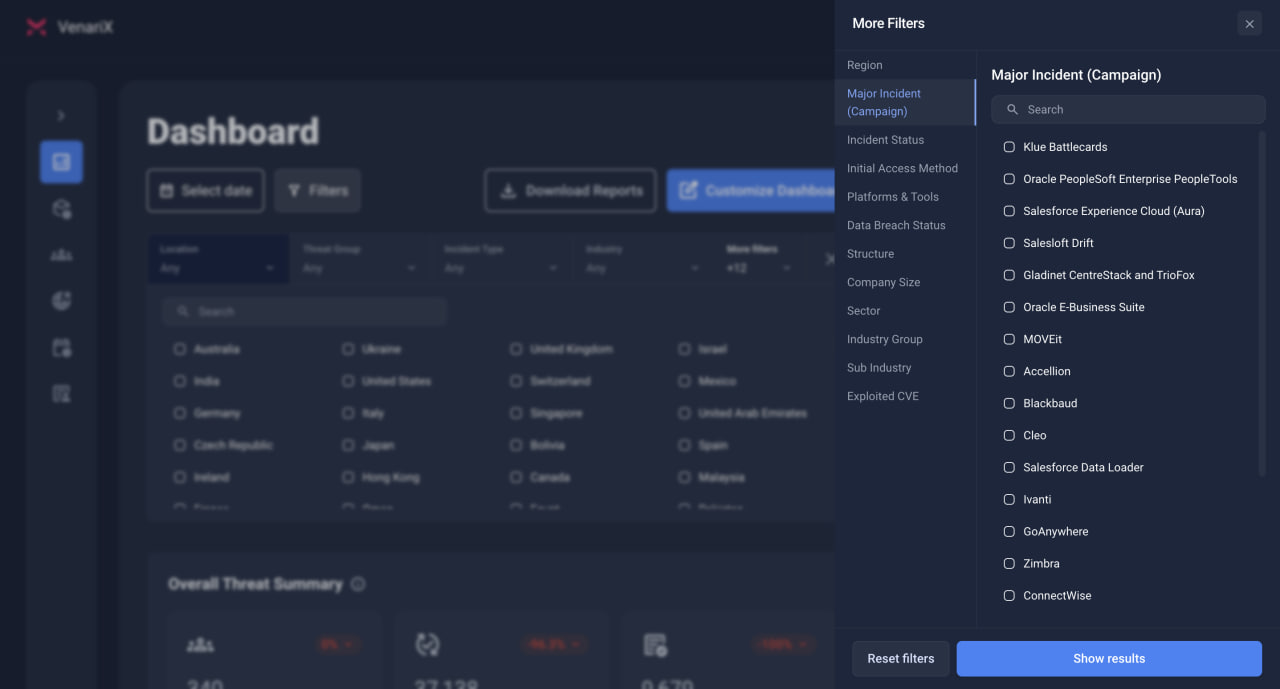
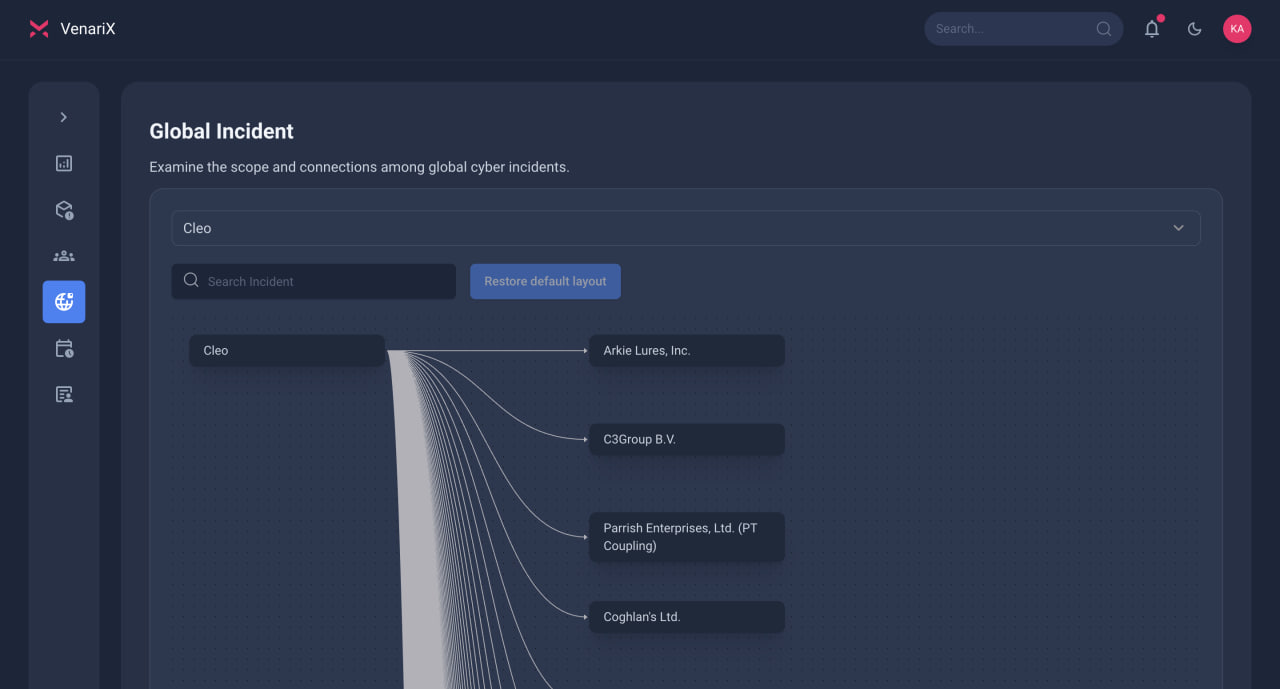
Incidents involving downstream victims, organizations affected indirectly through a third-party breach that was caused by a CVE, are not included in CVE filter results, since the vulnerability was not used to breach them directly. These incidents are still tracked in VenariX and can be found using the Major Incident filter or in the Global Incidents section.
New Widgets for CVE Analysis
We introduced four new widgets to help visualize how CVEs are showing up in real incidents, who is using them, which sectors are affected, and more:
Top CVEs by Number of Incidents: Shows which exploited vulnerabilities are linked to the most incidents in our dataset. Useful for identifying which CVEs are most active right now and should be reviewed for potential exposure.
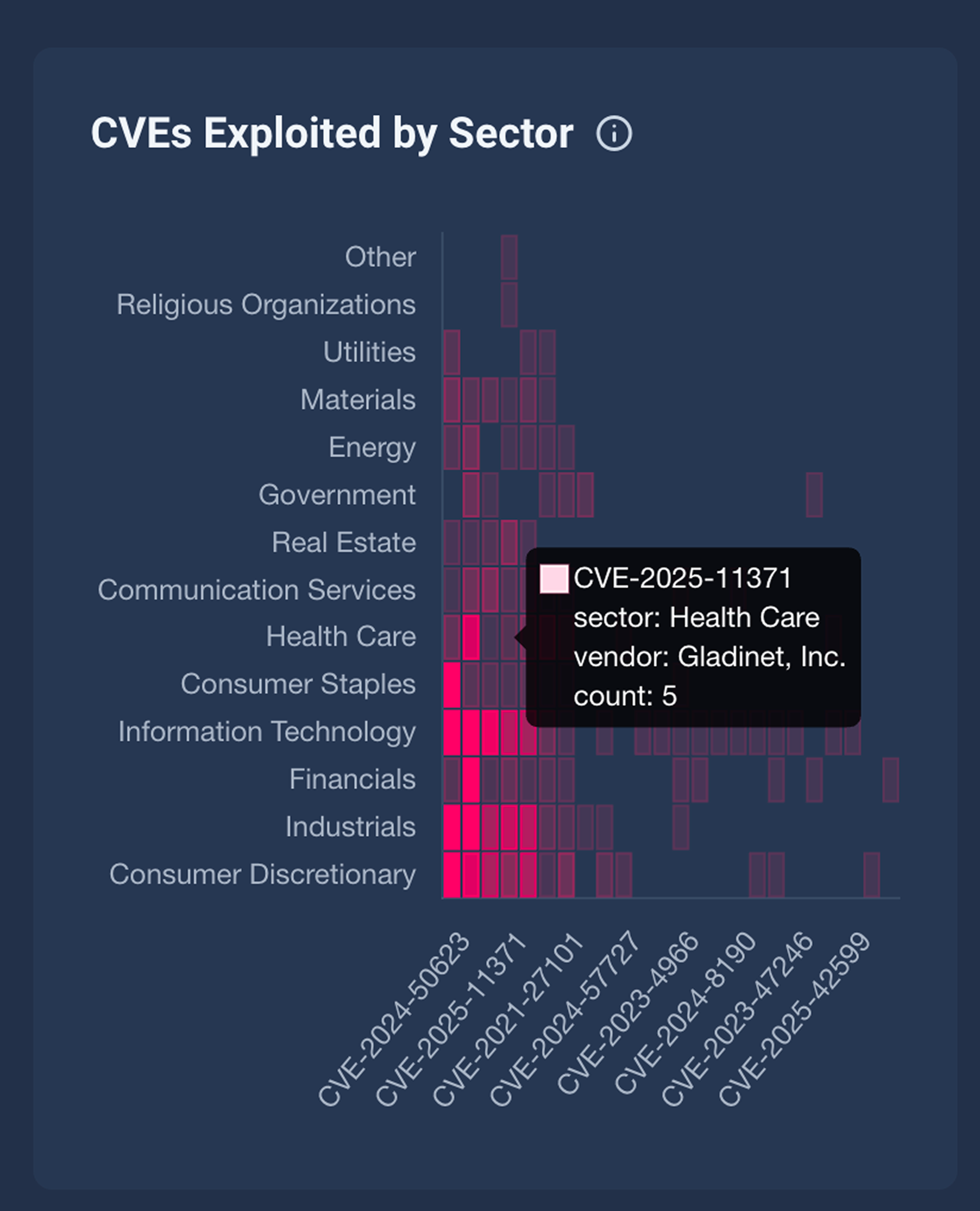
CVEs Exploited by Sector: Shows which sectors are being targeted through specific vulnerabilities. Helps teams assess whether exploitation is concentrated in their industry or spreading across others.
Threat Actors Linked to CVEs: Maps exploited vulnerabilities to the threat actors using them. Helps track whether a CVE is tied to a single campaign or being reused across multiple groups.
Monthly Breakdown of CVE-Related Incidents: Shows how exploitation linked to each CVE is changing over time. Useful for identifying emerging threats, periods of peak activity, or whether a vulnerability is still being used in current attacks.
👉 Explore the CVE feature now, included in Pro and Business plans.
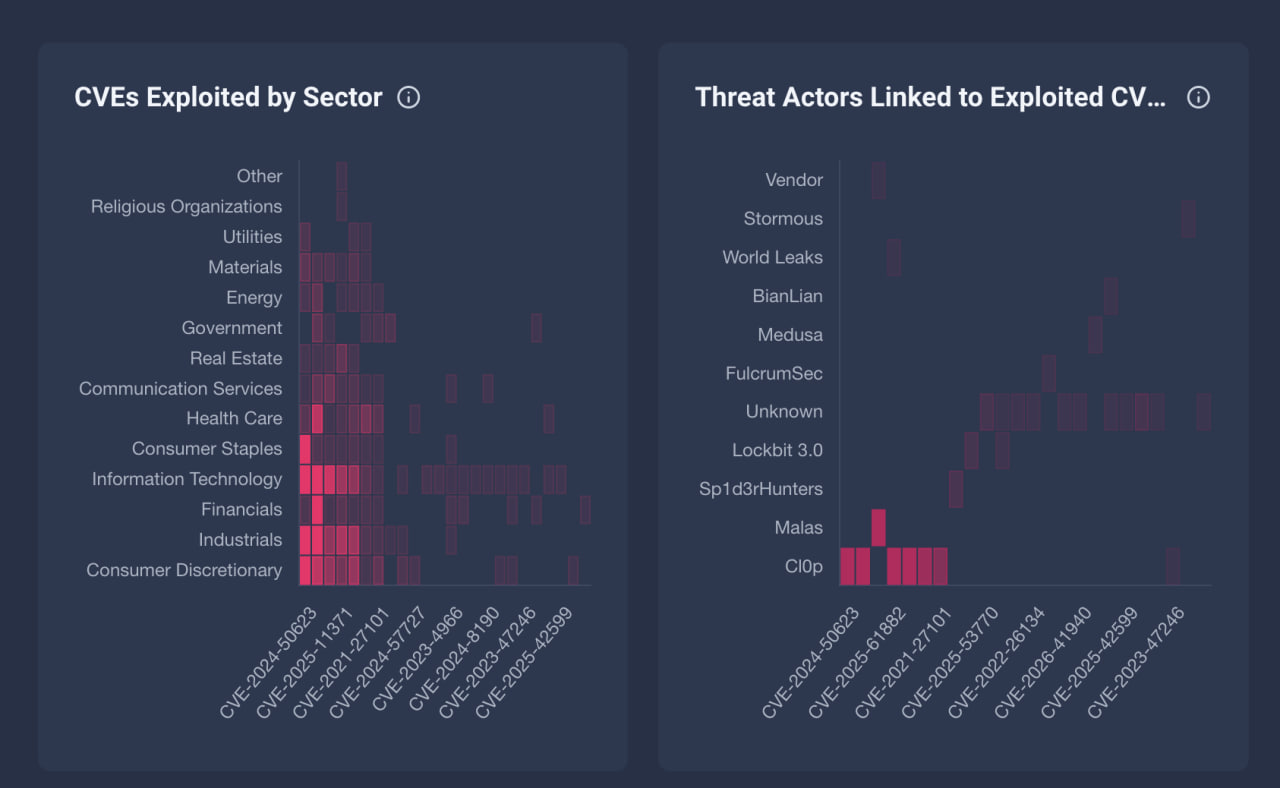
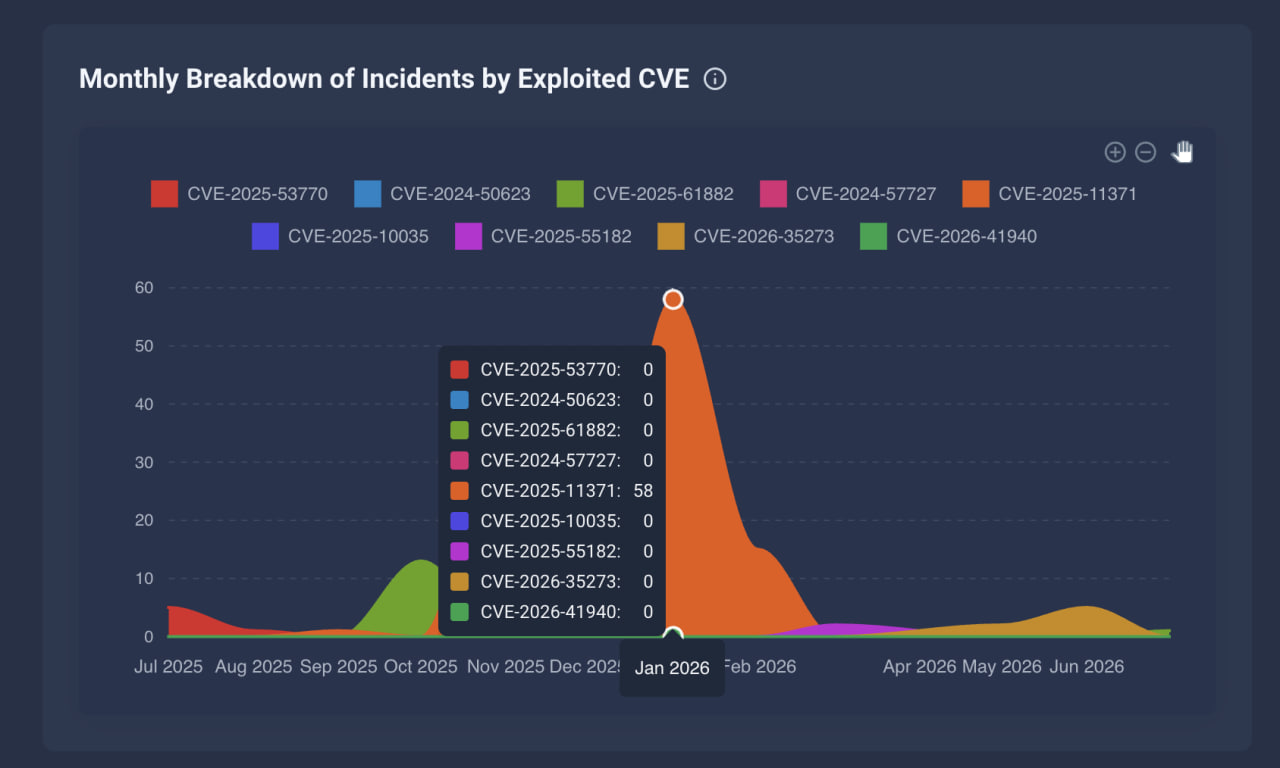
These widgets are fully interactive. When a CVE is selected from the filter panel, each view updates to reflect only incidents involving that CVE, giving users a focused view of how that vulnerability is playing out across the threat landscape.
Use Case: MOVEit and CVE-2023–34362.
CVE-2023–34362 was a zero-day vulnerability in MOVEit Transfer, exploited in a large-scale campaign in 2023 by the Cl0p ransomware group. Multiple organizations were compromised directly through the vulnerability, with attackers gaining access to sensitive files stored on their MOVEit servers. These incidents, where entities had vulnerable versions of MOVEit in their environment and were breached through the CVE, were tagged with CVE-2023–34362 in VenariX.
However, the impact of the MOVEit campaign extended well beyond the organizations directly breached via the CVE. Many other companies were affected when their data, held by vendors using MOVEit, was accessed and leaked. These downstream incidents are not linked to the CVE, since the vulnerability wasn’t the method of compromise.
In cases like this, where a single campaign results in widespread impact across multiple organizations, we classify the event as a Major Incident. This designation isn’t specific to MOVEit; it’s used across the platform to group large-scale incidents that affect many entities, whether directly or indirectly. In the case of MOVEit, the scale of the exploitation and the number of affected organizations met that threshold.
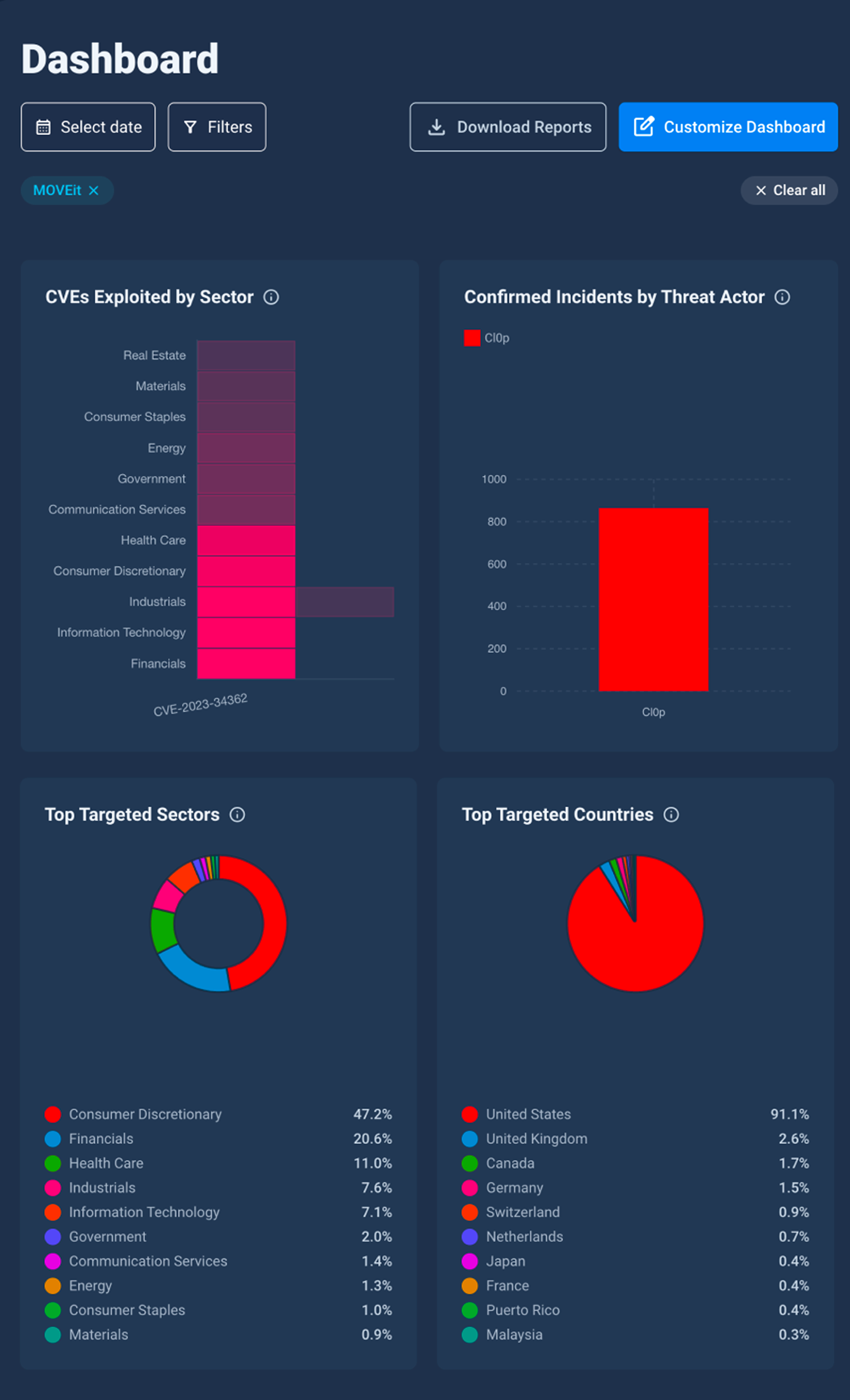
This lets users view both direct exploitation and downstream impact in one place, providing a more complete view of large-scale incidents.
How to Use the CVE Feature
The CVE enrichment layer is available only on the Pro and Business plans. Here’s how to get started with CVE tracking in VenariX:
View CVEs on Incident Pages
Where to find it: Go to the Incidents tab and select an incident.
What to look for: If a CVE was exploited, it will appear in the “Incident Profile” section under the label Exploited CVE.
Interaction: Clicking on the CVE ID opens a confirmation modal. You can proceed to the official CVE page (e.g., NVD) or close the modal.
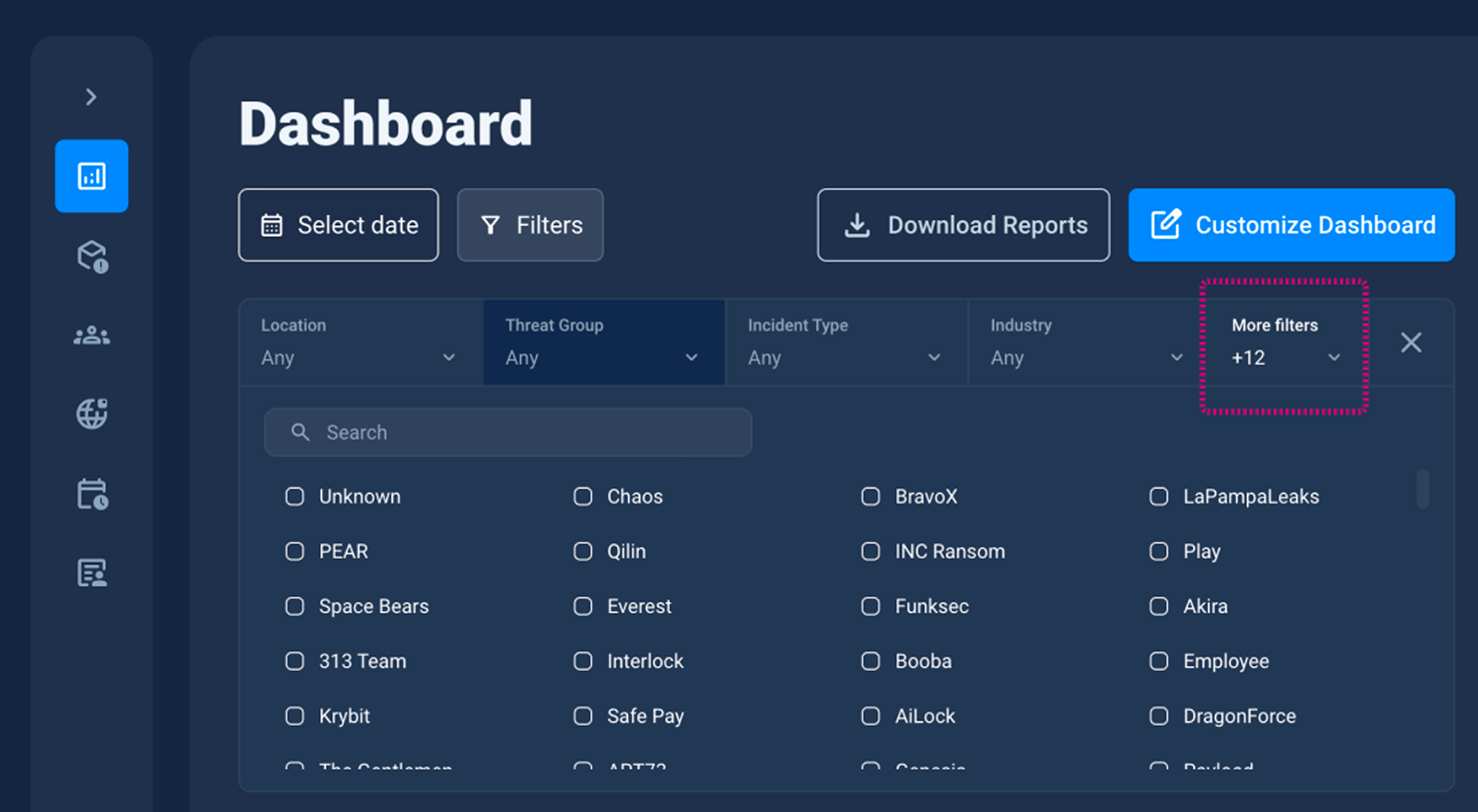
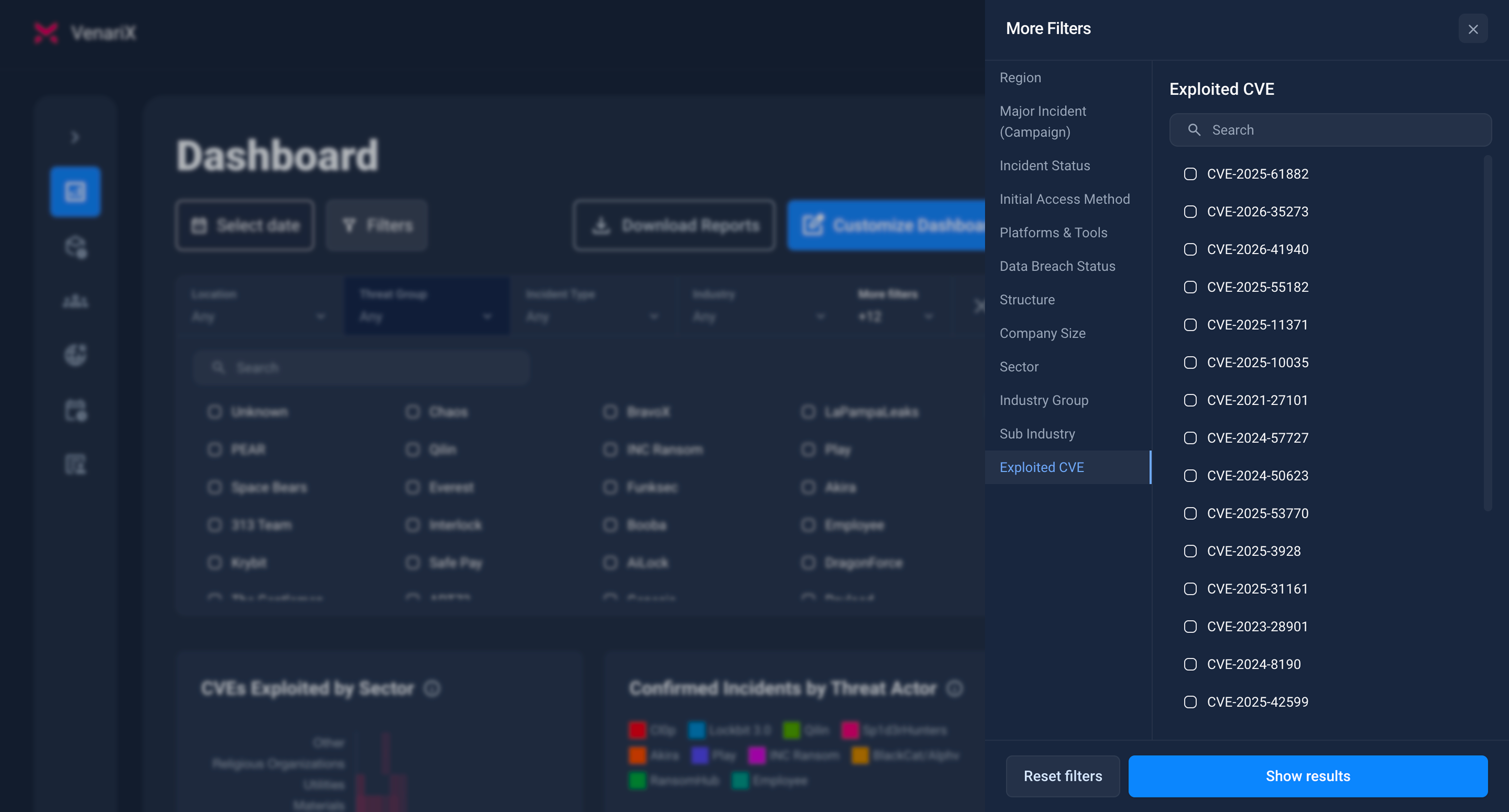
Filter Incidents by CVE ID
Where to find it: On the Incidents or Dashboard pages.
How it works: Use the “Exploited CVE” filter (in the “More filters” section). This is only available if incidents contain at least one CVE.
Analyze CVE Trends on the Dashboard
VenariX includes new widgets to visualize vulnerability exploitation patterns:
Top CVEs by Number of Linked Incidents (Bar Chart)
Monthly Breakdown by Exploited CVE (Line Chart)
CVEs Exploited by Sector (Heatmap)
Threat Actors by CVE (Heatmap)
Each graph is interactive and allows users to drill into the data for further context.
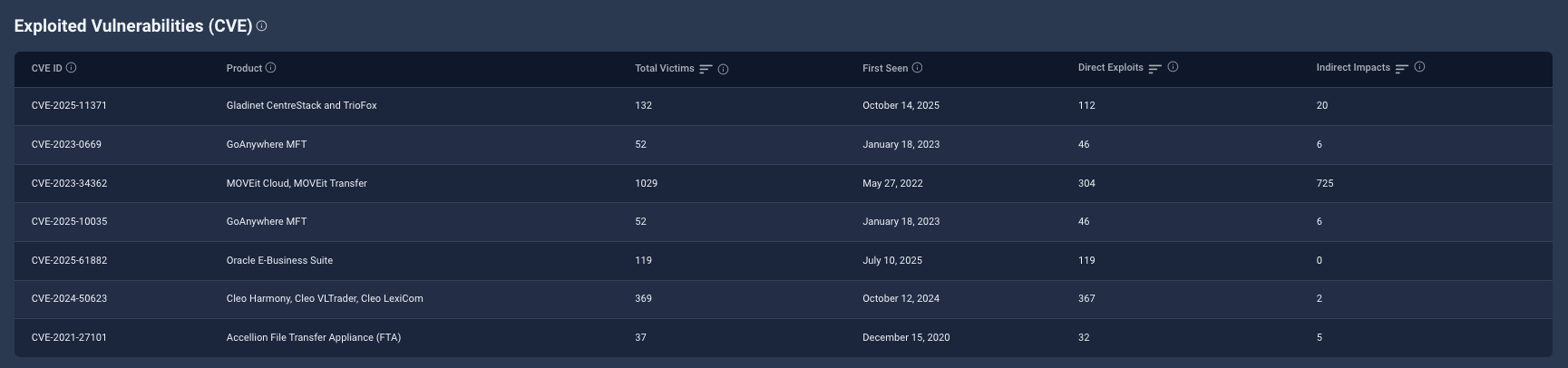
Threat Actor CVE Table
Where to find it: In the Threat Actor Group profiles.
What you get: A sortable table listing CVEs exploited by the actor, including:
CVE ID
Affected product
Total victims
First seen date
Direct/indirect exploitation counts
API Access for CVE-Linked Incidents
For users integrating VenariX data into their workflows:
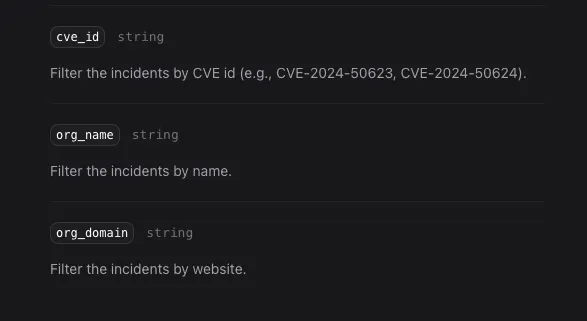
CVE metadata is included in incident API responses
You can filter incidents via the CVE ID query parameter
Connecting CVEs to Real-World Impacts
This feature connects exploited CVEs to real incidents, threat actors, and affected organizations, providing a clear basis for prioritization and response.
👉 Explore the CVE feature now, included in Pro and Business plans.
